
Table and service context
The active table, area and open items stay in view while the order is captured.
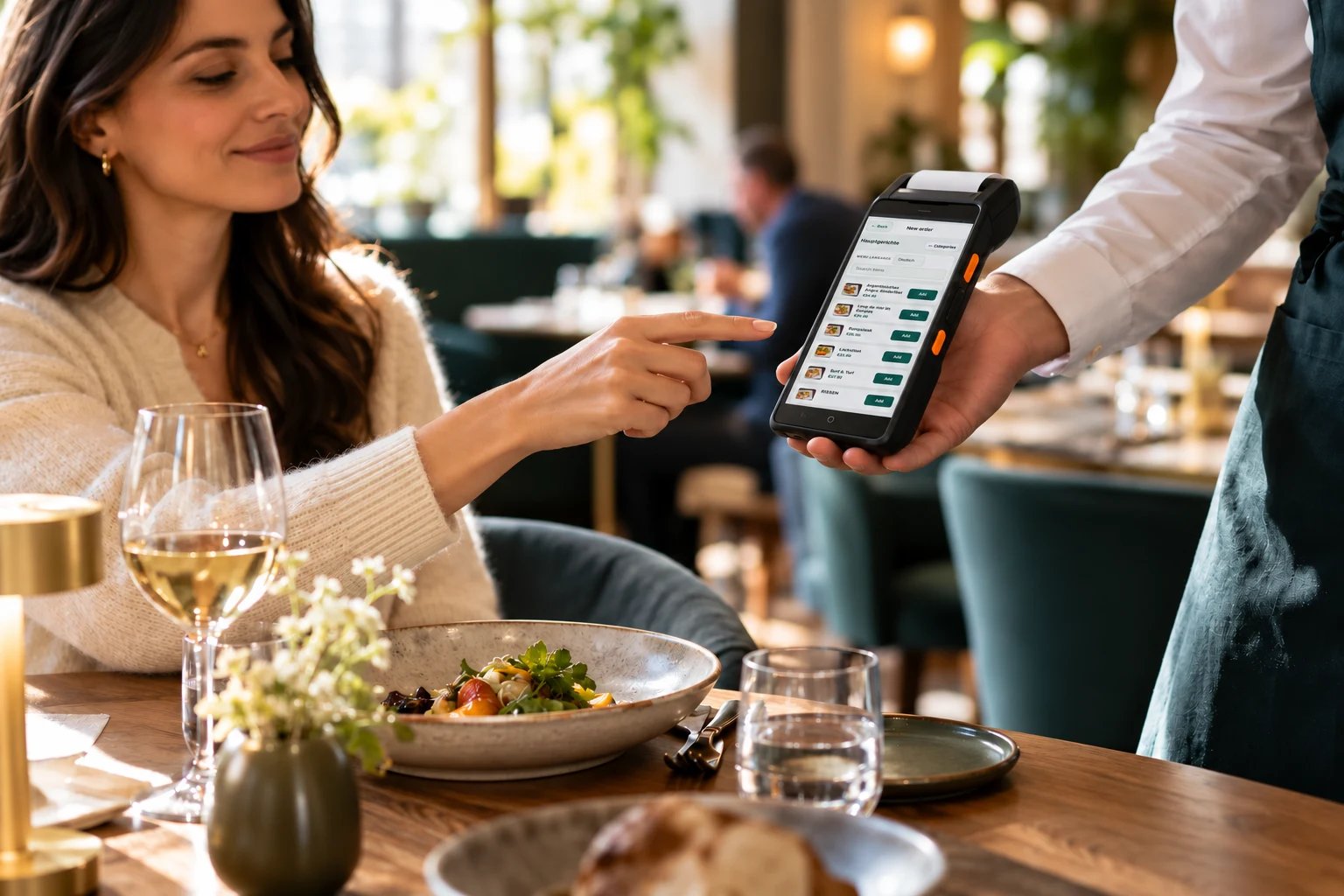
ROBEXA / TAILORED TO YOUR OPERATION
Take orders and additional rounds where they happen, with a workflow tailored to your service team.
Individually configured. Introduced with your team. Technically supported by us.
REAL SCREENS FROM THE DEMO
Three views of the app your team uses on the restaurant floor.
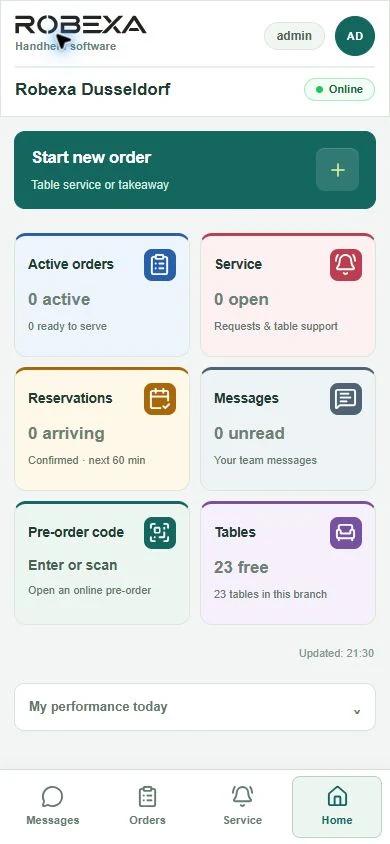
Staff can check active orders, service requests, upcoming arrivals and free tables for their location.
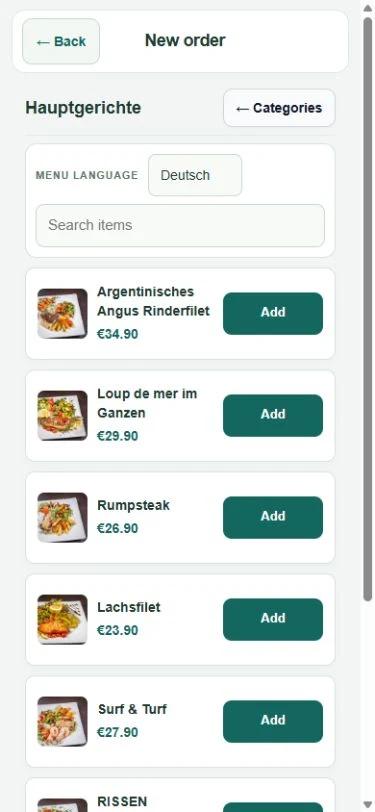
Staff choose dishes, add extras and notes, and send the order to the configured kitchen or bar stations.
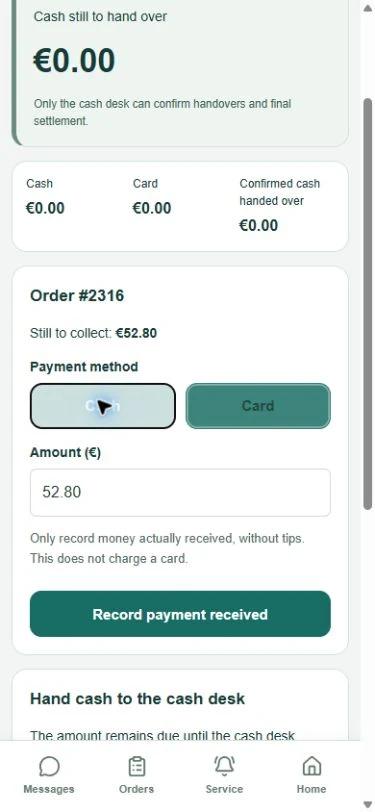
With payment recording enabled, staff can log cash or card payments already received. The cash desk confirms cash handovers.
SERVICE WORKFLOW
Staff enter the order once at the table. The dishes and any special requests reach the team that prepares them.
Keep the table in context
Service opens the relevant table or order context before items are captured.
Capture order details
Dishes, variants, extras and notes are recorded in a structured way at the table.
Pass the order to preparation
Depending on the setup, relevant items go to kitchen, bar, KDS or configured printers.
Continue service with follow-up rounds
Additional rounds and additions stay linked to the existing table context.
When guests order another round, staff add it to the same table.
PRODUCT VIEW
Each order keeps the table, dishes and special requests together, so staff can pick up where they left off.
The active table, area and open items stay in view while the order is captured.
Categories, variants and preparation notes can be recorded directly on the item.
After sending, follow-up rounds and additions remain linked to the same table context.
CAPABILITIES
These capabilities describe typical service tasks. Which ones are active depends on the agreed setup.
Staff work with table or area context instead of reconstructing the seating situation later from notes.
Dishes, variants and required extras are captured in structured form so important details are not left only in shorthand.
Comments and preparation notes stay attached to the item and can travel with the configured kitchen or bar output.
Additional rounds can stay linked to the existing table context instead of starting as an isolated new order.
Depending on the setup, structured orders reach kitchen displays, bar stations or configured print routes.
Where the workflow supports it, service can see the state of selected items instead of repeatedly checking at the pass.
CONNECTED OPERATIONS
Handheld can operate as one ordering tool within a configured Robexa environment. Depending on the selected setup, relevant orders may be passed to kitchen displays, configured printers or the administrative environment. What matters is only the connections that matter—not the largest possible set of modules.
Not every restaurant needs every module. Handheld can start where table service and the handoff to preparation create the clearest operational benefit.
FIT
The exact setup depends on the device strategy, network, service process and selected outputs. Where kitchen displays, printers or payment devices are involved, compatibility and routing must be confirmed during configuration.
SETUP
We first examine how orders currently move from the table to preparation and administration. We then configure Handheld and the relevant connections within the agreed scope.
Device preparation, staff introduction, training and ongoing support are described within the agreed project scope—not as unlimited or automatically included services.
Understand the service process
Clarify table service, existing systems and the path to preparation.
Configure the relevant workflow
Set up Handheld and the needed handoffs within the agreed scope.
Introduce and support the agreed setup
Introduction and technical support according to the project scope.
INSIGHTS
The article goes further into workflows, prerequisites and common rollout questions—without replacing this product page.
KDS, Handheld & Operations
Capture orders at the table and get the right details to the kitchen. Plan for menu options, Wi-Fi coverage, corrections and staff onboarding.
FAQ
A handheld ordering system is a mobile interface for service staff. Orders, variants, notes and table context are captured at the guest and—depending on configuration—passed to kitchen, bar, printing or administration instead of being re-entered later from paper.
In an initial conversation, we look at your table service, existing systems, devices and preparation workflow. From there, we can determine whether Handheld fits your operation and which connections should be part of the setup.