
Time6:00 pm
Party2
StatusSeated
Table / areaT4 · Main room
ArrivalArrived 5:55 pm
NoteWindow seat
ROBEXA / TAILORED TO YOUR OPERATION
Take online and phone reservations in one system. Robexa connects bookings to HostPanel and the live floor plan, so your team can see who’s coming and which tables are in use.
Individually configured. Introduced with your team. Technically supported by us.
THE RESERVATION WORKFLOW
Four steps your team can follow even in the middle of a busy service.
Take the booking
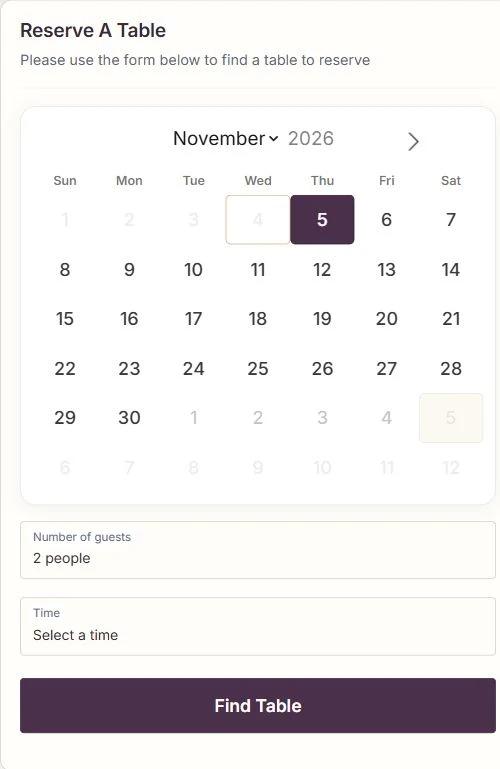
Guests choose a date, time and party size on your website. Staff can enter phone reservations in the same system.
Plan the table
The host reviews the booking and assigns a table. A high-chair request or special occasion stays with the reservation.
Welcome the guests
In HostPanel, the host sees arrivals for the selected location and can seat the party at a suitable table.
Hand over to service
The live floor plan helps the team see which tables are free, occupied or due for a reservation.
The same booking follows your team from the website to the door.
ONE SYSTEM THROUGHOUT SERVICE
Online bookings and staff-entered reservations come together in Robexa. HostPanel and the live floor plan use the same reservations and tables. For multi-location restaurants, staff see the locations they have permission to access.
Once guests are seated, staff can take orders within the same restaurant platform. Depending on your setup, the orders go to the kitchen or bar. The handover from reception to service stays in Robexa.
THE GUEST EXPERIENCE
They choose the date, time and party size. We agree on the booking hours and capacity rules with you during setup.
Operations view
The board below is a conceptual product visualization with sample data—not a live guest view and not a screenshot from a customer deployment.
Sample reservations for an evening service
| Time | Party | Status | Table / area | Arrival | Note |
|---|---|---|---|---|---|
| 6:00 pm | 2 | Seated | T4 · Main room | Arrived 5:55 pm | Window seat |
| 6:30 pm | 4 | Confirmed | T12 · Main room | Expected | Birthday |
| 7:00 pm | 3 | Arrived | A2 · Terrace | Waiting at host | High chair |
| 7:30 pm | 6 | Pending | Unassigned | Pending | Allergy note |
| 8:00 pm | 2 | Confirmed | T7 · Side room | Expected | Quiet table |
Times, statuses and areas are adapted to your restaurant during the project.
Day to day
Capabilities stay close to operations—without marketing claims that cannot be traced to configuration and project scope.
Open and confirmed bookings stay clear for hosts and service teams.
Requests can be confirmed or declined; reservation status remains clear.
Notes for occasions, preferences or operational needs stay attached to the booking.
Bookings can be assigned to tables or areas.
Reservation state and graphical floor planning can share the same operational view—within the configured scope.
Authorized roles see arrival, seating and relevant notes before guests are seated.
Guest-facing interfaces and content can be provided in multiple languages depending on configuration.
Reporting or exports are available where covered by project scope.
Implementation
Robexa reviews your current reservation process, technical environment and required interfaces—before configuration and training begin.
Whether existing systems can remain in use depends on the current technology, required interfaces and agreed project scope. Technical and operational requirements are reviewed before implementation.
Define the flow
Channels, confirmation logic and seating rules are defined together.
Connect planning
Reservations and table/floor planning are aligned to the same view.
Support go-live
Training, refinement and technical support follow the agreed scope.
FAQ
Yes. Bookings and tables belong to a location. In the staff workspace, users can only open locations they have permission to access.
Tell us about your channels, peak service and rooms. In a personal consultation we clarify how reservations and floor planning can fit your operation.