It is 7:30 on a Friday evening. The terrace is full, two large groups have just arrived and a guest at table twelve has been trying to order another round of drinks.
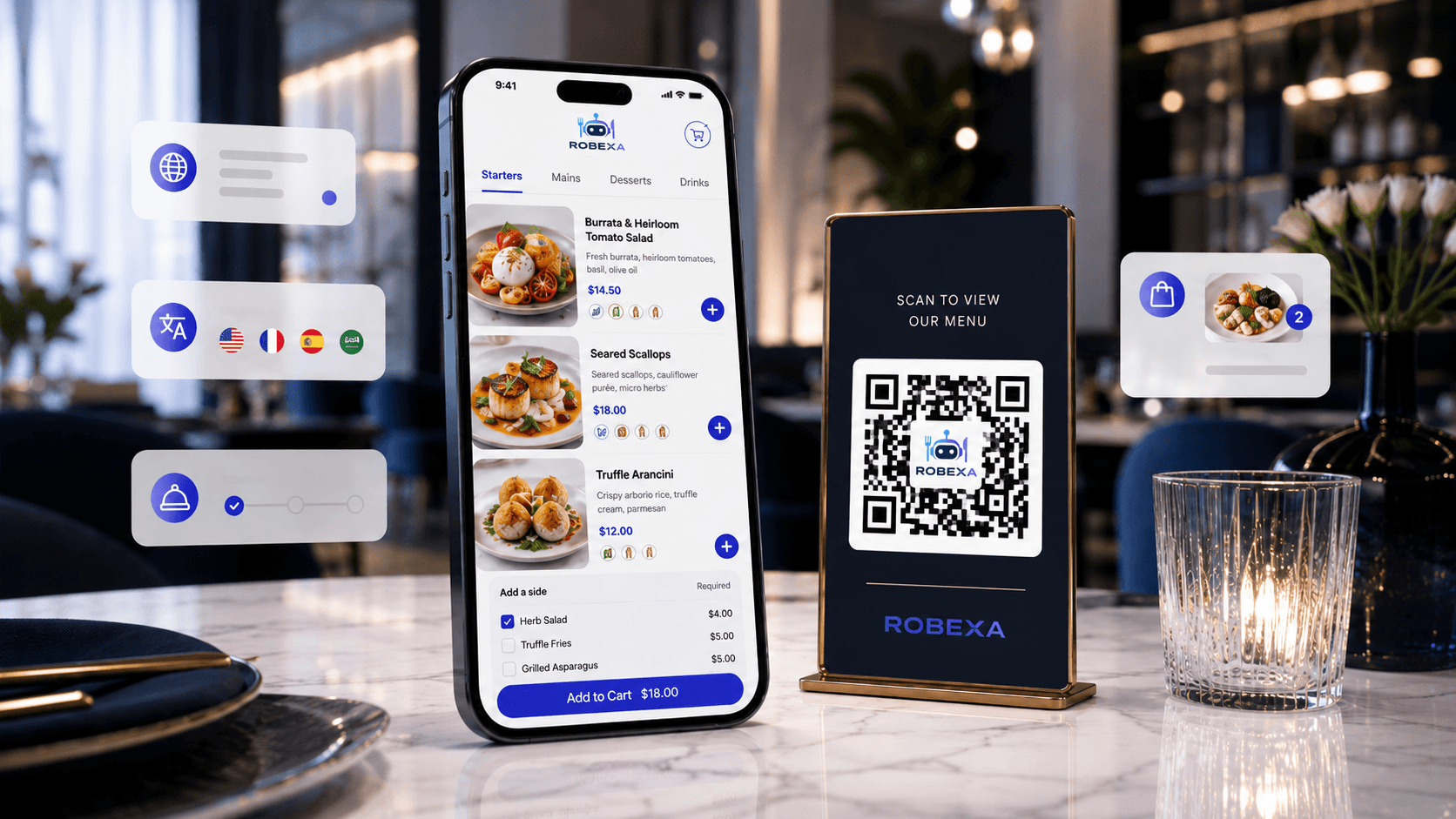
This is the moment when QR ordering sounds like an obvious solution: scan the code, open the menu, choose and order. There is no need to wait for a member of staff, wave across the room or make another trip to the table.
But putting a QR code on a table does not automatically improve restaurant operations.
If the digital menu is confusing, unavailable dishes remain visible or orders do not reach the kitchen clearly, technology simply moves the problem somewhere else. Instead of saving time, it creates questions, corrections and frustrated guests.
The important question is therefore not whether a restaurant offers QR codes. It is whether the entire ordering journey works from the guest’s first scan to preparation, service and payment.
Key takeaways
- A QR code alone is not a complete digital ordering process.
- Value appears only when menu, service, kitchen and payment work together.
- Common mistakes include unclear menus, missing table mapping and isolated systems.
- QR ordering should support hospitality — not replace it.
A QR code is not a complete ordering process
QR ordering is often presented as a standalone feature. In practice, it touches almost every part of the restaurant:
- menu structure,
- product options and extras,
- allergen information,
- table and order identification,
- communication with the kitchen or bar,
- service responsibilities,
- payment,
- and the handling of exceptions.
The guest sees a menu on a phone. Behind that screen, several operational steps must work together reliably.
If a guest submits an order digitally but a member of staff must re-enter it into another system, the restaurant has not removed the manual handover. It has only changed who completed the first step.
A useful QR-ordering setup allows information to reach the right team without unnecessary copying, searching or interpretation.
Where QR ordering can genuinely help
The real value is not that an order becomes “digital”. Value appears when waiting, repeated data entry and unclear handovers are reduced.
Guests can order when they are ready
Some guests decide quickly. Others want more time. Later, only one person at the table may want another drink, a side dish or dessert.
With a clear QR-ordering journey, guests do not need to wait until a server is free or try to catch someone’s attention. They can place an order at the moment they are ready.
This can be particularly useful on terraces, in bars, for larger groups and in venues where repeat drink orders are common.
Staff have more time for hospitality
QR ordering should not be treated as a way to remove service. It should remove repetitive work that does not require personal attention.
When straightforward orders enter the workflow clearly, staff can focus on welcoming guests, answering questions, making recommendations and resolving special requests.
The best digital experience does not make restaurant staff disappear. It allows them to spend more time where human interaction creates value.
Orders can arrive with clearer information
A well-designed digital menu can guide guests through required choices such as size, side dishes, cooking preferences, extras or relevant dietary information.
This can make orders easier to understand when they reach the kitchen or bar. However, it only works when menu items, options and required selections have been configured carefully.
A badly configured digital journey does not eliminate mistakes. It creates a different set of mistakes.
Menus can be updated centrally
Prices, descriptions, availability and additional information can be updated more quickly in a digital menu than in printed material.
That is useful for changing menus, temporary offers and products that become unavailable during service. But someone still needs to own the process.
A digital menu that nobody maintains is simply an outdated menu on a screen.
What guests should not lose
Not every guest wants to use a phone during a restaurant visit. Some may have limited battery, poor connectivity, difficulty reading a small screen or no interest in entering their own order.
These guests are not an operational problem to be eliminated.
A well-designed restaurant experience offers QR ordering as a convenient option rather than an obligation. Guests should still be able to order through a member of staff.
The team must also be able to explain the digital process without making anyone feel uncomfortable or left behind.
Hospitality includes accommodating different preferences.
The most common implementation mistakes
1. Designing for the technology rather than the guest
“The QR code opens correctly” is not a meaningful test of the complete experience.
A guest who has never seen the system should be able to understand:
- where to begin,
- how to customise a dish,
- whether the order has been submitted,
- what happens next,
- how payment works,
- and where to ask for help.
The journey must be tested from the perspective of a first-time guest, not only by the team that configured it.
2. Turning a long menu into a long mobile page
A complex printed menu does not become easier just because it appears on a smartphone.
Too many categories, unclear product names, missing descriptions and endless option screens make ordering tiring.
A mobile menu should be easier to scan than a paper menu. Clear sections, concise descriptions and sensible defaults matter more than decorative effects.
3. Involving service and kitchen teams too late
QR ordering is not only a guest-facing project.
The service team needs to know which orders have already been submitted, how questions are handled and when personal assistance is required. The kitchen must know where an order came from, which table it belongs to and which details require attention.
Explaining the new process on launch day is not training. It is a recipe for confusion.
4. Running digital and traditional orders as separate worlds
If QR orders, online orders and staff-entered orders appear in different lists or on unrelated devices, the team can quickly lose oversight.
Operational value appears when relevant ordering channels feed into one understandable workflow.
Otherwise, the restaurant has not simplified its operations. It has added another screen that somebody must watch.
5. Showing products that are no longer available
Few experiences are more frustrating than completing an order and discovering at the final step that an item cannot be prepared.
Unavailable dishes should be removed or clearly marked as early as possible. The same applies to time-specific menus, breakfast hours and products available only at selected locations.
6. Planning only for the ideal order
What happens when a guest has a special request? How are allergies communicated? Can a group split the bill? How is an accidental duplicate handled? What happens if connectivity fails?
Reliable systems are designed for exceptions as well as normal orders.
In a restaurant, the quality of a process often becomes visible when something does not go according to plan.
How to introduce QR ordering properly
A sensible rollout does not need to begin across the entire restaurant.
Start with one specific operational problem
First define what should improve.
For example:
- Guests wait too long to order another drink.
- Staff spend too much time taking simple repeat orders.
- Orders are copied between separate systems.
- Terrace orders are easily missed.
- Menu and availability changes take too long to communicate.
A clear starting problem makes it possible to judge whether QR ordering has delivered a meaningful improvement.
Map the complete journey
Do not stop the process map when the guest presses “Order”.
Follow the order from the QR scan through menu selection and confirmation to the kitchen, collection, table service and payment.
Every handover should have a clear answer:
- Who receives the information?
- Where does it appear?
- Who handles an exception?
- What does the guest see?
- What happens when a step fails?
Begin with a controlled pilot
A terrace, selected tables or a defined service period can be a better starting point than changing the entire restaurant at once.
A controlled pilot allows the team to learn from real guests without exposing the whole operation to every early mistake.
Train with real service situations
A feature demonstration is not enough.
Practise situations such as:
- A guest submits an order twice.
- A dish sells out during service.
- A group wants separate payments.
- A guest needs allergen guidance.
- An order does not appear in the kitchen.
- Someone wants to order without a phone.
Staff do not need to understand every technical detail. They need to know how to help guests confidently and calmly.
Which restaurants benefit most?
QR ordering can be particularly useful where many straightforward or repeat orders are placed:
- large terraces,
- bars and cafés,
- venues with frequent drink reorders,
- food courts and counter-service concepts,
- large groups,
- pickup and pre-order businesses,
- and restaurants with rapidly changing levels of demand.
It may also have a place in more service-led or fine-dining concepts, but often as a supporting channel rather than the main experience. It could provide a digital wine list, additional product information or an easy way to request another drink.
Not every interaction needs to be digital. The right decision depends on the restaurant concept and the expectations of its guests.
How to know whether it is working
Success should not be measured only by the number of QR-code scans.
More useful questions include:
- Can guests order sooner once they have decided?
- Are fewer orders lost through manual re-entry?
- Are there fewer clarification requests between service and kitchen?
- Are repeat orders easier for guests to place?
- Does the service team have more time for advice and attention?
- How often do guests need help with the digital journey?
- At which step do guests abandon the process or complain?
Team feedback matters as much as reporting. Employees usually recognise very quickly whether a new process genuinely removes work or simply introduces additional tasks.
QR ordering should support hospitality, not replace it
Good QR ordering does not succeed because the technology is highly visible.
It succeeds when guests spend less time waiting, staff spend less time copying information and orders move through the restaurant more clearly.
At Robexa, we therefore view QR ordering as part of a connected process rather than an isolated feature. It needs to work with the digital menu, table identification, service, kitchen operations and, where appropriate, payment.
The best QR-ordering experience does not replace personal service. It removes unnecessary waiting and gives the team more time for the moments when personal attention matters.
Before placing QR codes on every table, restaurants should not ask only, “Which features does the system include?”
The more important question is:
Which specific problem should become noticeably easier for both guests and staff?