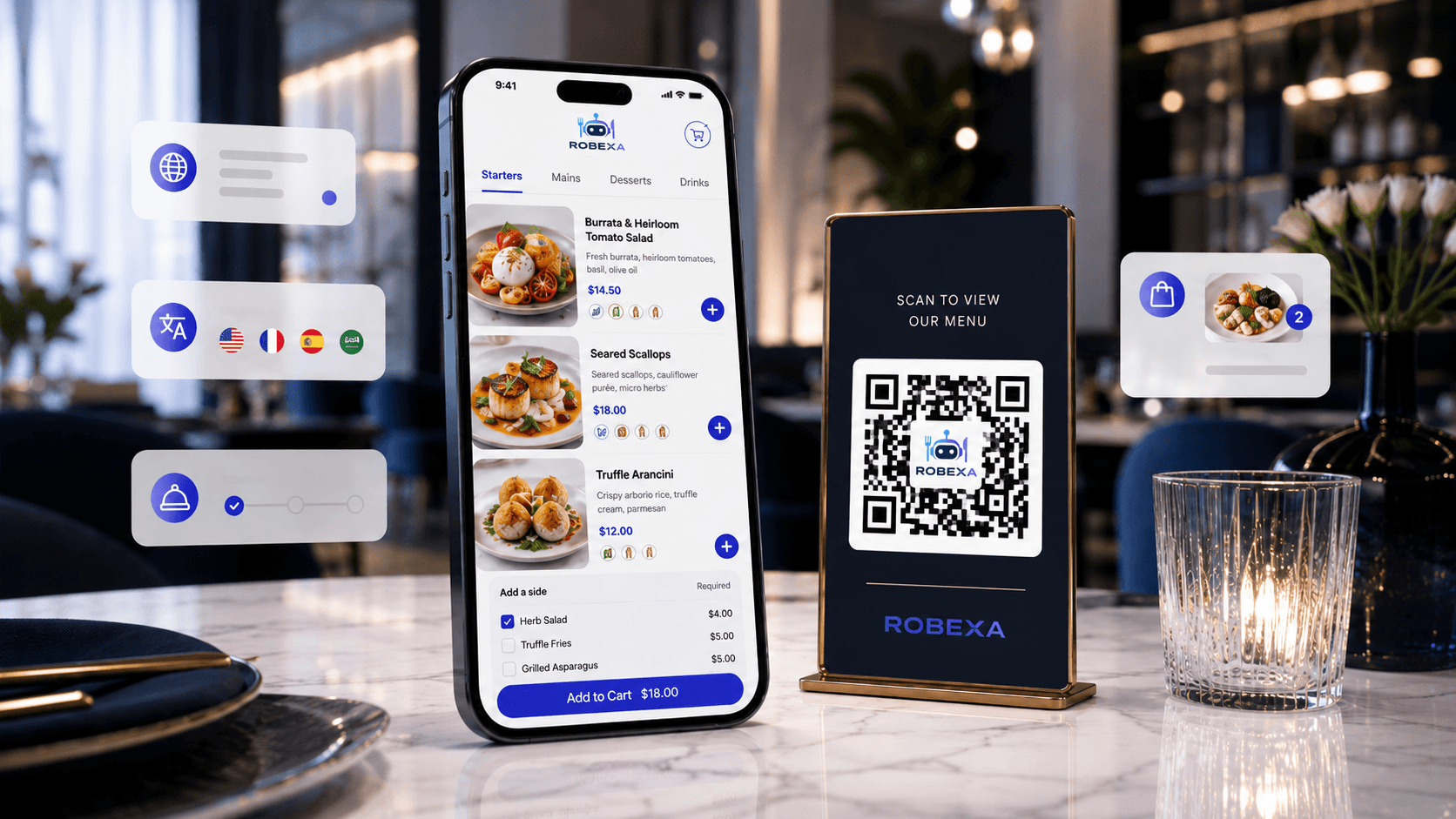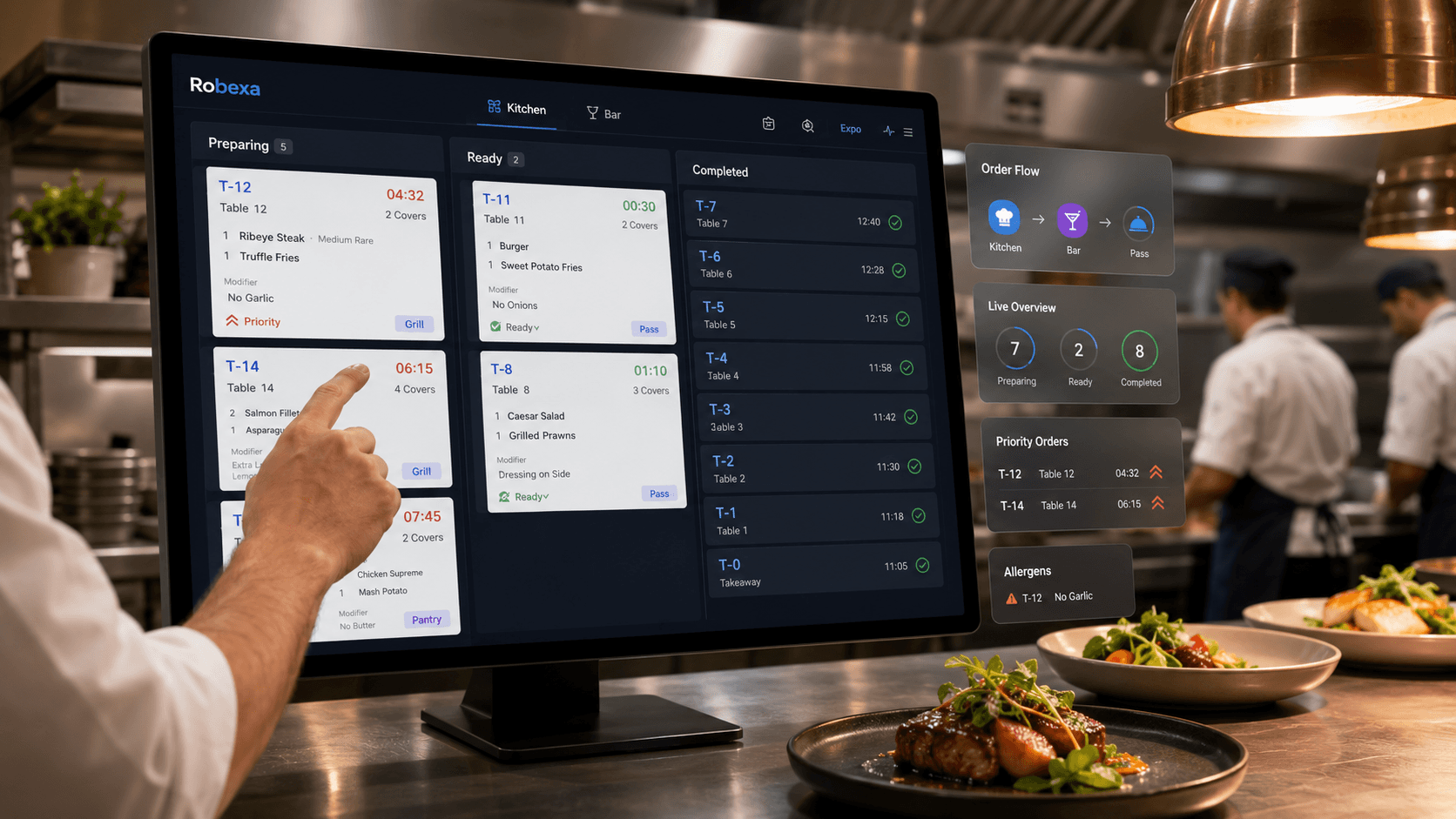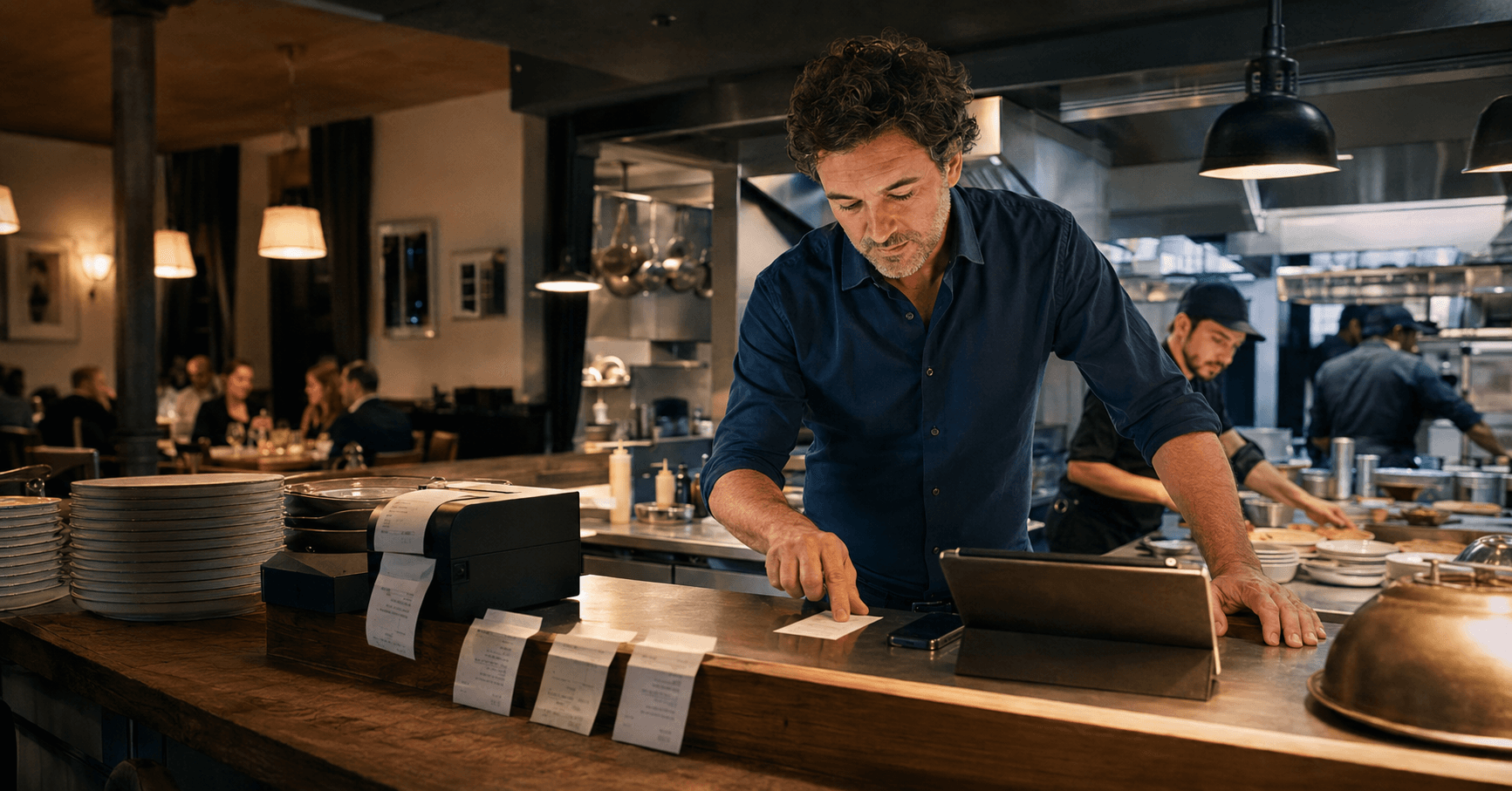
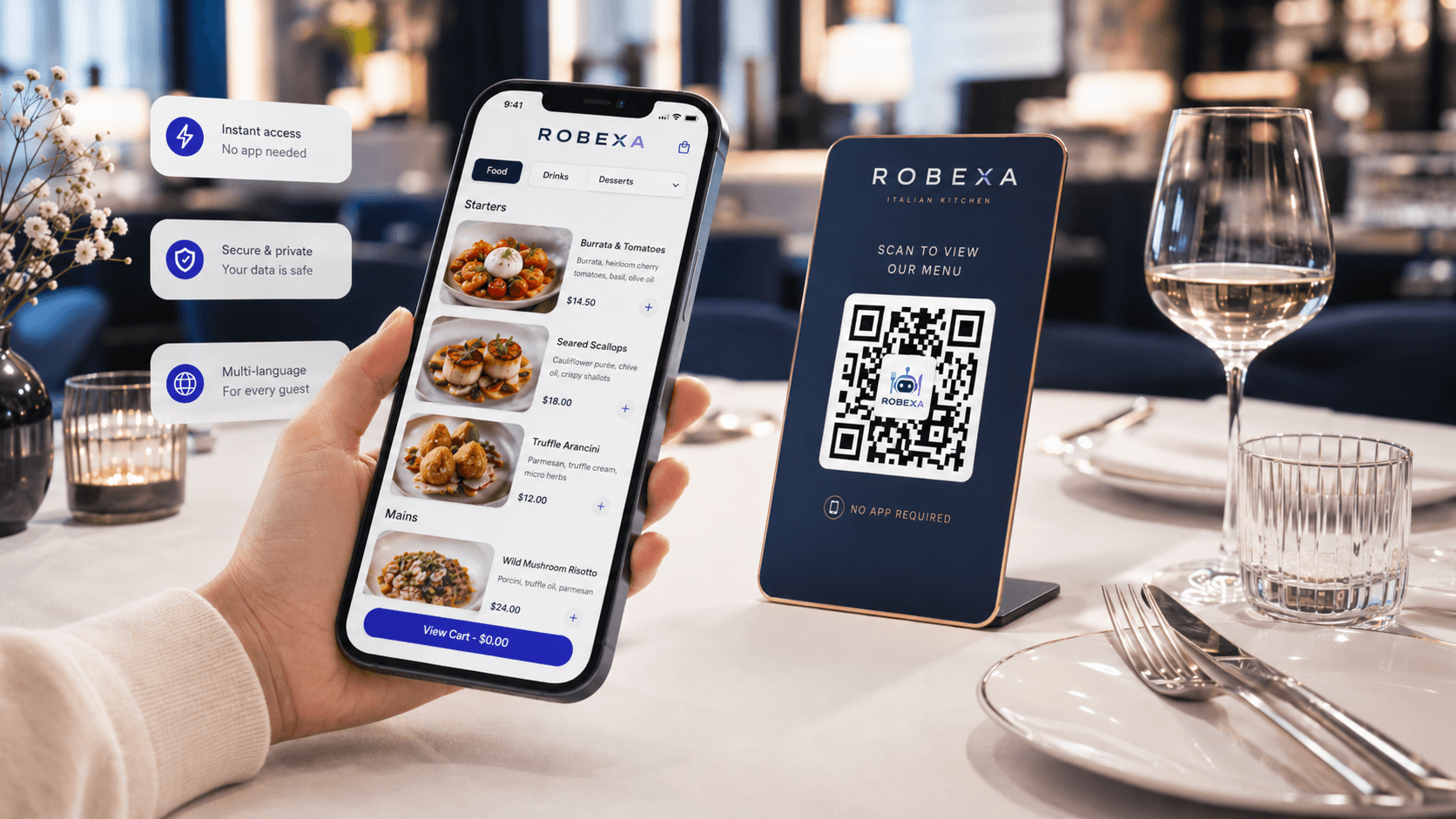
It is a busy Saturday evening. One order is entered by a server, another arrives through a QR code at the table, a pickup order comes through the restaurant website and a kiosk has just submitted a larger group order.
All four orders eventually need the same things: accurate product information, the correct preparation station, a clear status and a reliable handoff.
This is where many digital ordering projects succeed or fail.
A restaurant can offer several modern ordering channels and still depend on employees to copy information, explain changes verbally and search across separate screens. The technology may look digital while the underlying operation remains fragmented.
An efficient digital ordering process is the complete journey through which an order moves from the guest’s decision to preparation, fulfilment and completion. It defines how information is captured, checked, routed, updated and handed to the next responsible team.
The objective is not to offer the largest number of ordering channels. It is to make every relevant channel feed a clear and dependable core workflow.
Key takeaways
- A digital ordering process covers the complete journey from menu selection to preparation, handoff and completion.
- Different ordering channels should use consistent products, prices, availability and operational rules.
- Each order needs enough context for the next team: table, pickup, delivery, options, notes and timing.
- Kitchen and service routing should reflect real responsibilities rather than software defaults.
- Exceptions such as unavailable items, corrections, duplicate orders and failed payments must be designed before launch.
- Success should be measured through operational outcomes, not the number of activated features.
What is a digital ordering process?
A digital ordering process is the operational path through which a restaurant receives and fulfils an order using one or more digital tools.
It may begin through:
- a digital menu
- a QR code at the table
- the restaurant website
- a self-ordering kiosk
- a staff handheld
- a pickup or delivery flow
The process does not end when the guest presses “Order”.
The order must still be:
- validated
- associated with the correct context
- routed to the responsible preparation area
- accepted and prepared
- coordinated across stations
- handed to service, pickup or delivery
- completed and, where applicable, paid
- available for operational review
A digital ordering system is therefore more than a customer interface. It is a connected agreement between menu data, ordering channels, service, kitchen and fulfilment.
Why digital ordering projects become fragmented
Restaurants often add digital tools one at a time.
A QR menu is introduced for table ordering. Later, an online shop is added for pickup. A delivery channel uses another menu. Staff continue entering traditional orders through a separate device. Kitchen tickets arrive through different printers or screens.
Each addition may solve one immediate problem.
Over time, however, the restaurant may develop several parallel processes:
- different product names in different channels
- inconsistent prices
- unavailable items that remain orderable
- modifiers that appear differently in the kitchen
- separate order queues
- unclear ownership
- manual copying
- duplicated customer communication
The result is not one digital ordering process. It is several independent processes that employees must reconcile during service.
Efficient digital ordering does not mean that every guest uses the same channel. It means that every channel enters a shared and understandable operational workflow.
Map the complete journey before selecting features
Before configuring QR ordering, online ordering or a kiosk, map the complete order journey.
The map should begin before the order is submitted and continue until the order is handed off and closed.
| Stage | Operational question | Typical failure when unclear |
|---|---|---|
| Menu discovery | Where does the guest see current products, prices and availability? | Different channels display outdated or inconsistent information. |
| Order entry | Which details, options and notes must be captured? | The kitchen receives incomplete or ambiguous instructions. |
| Validation | Which selections are required before submission? | Staff must contact the guest or guess the intended order. |
| Context | Is this table service, pickup, delivery, room service or kiosk? | The order reaches the team without a clear fulfilment path. |
| Routing | Which station prepares each item? | Kitchen, bar or packaging teams receive irrelevant or missing lines. |
| Preparation | Who changes the status and when? | Service cannot understand whether the order is new, active or ready. |
| Handoff | Who confirms that the complete order is ready? | Individual items leave at different times or remain uncollected. |
| Payment | When and how is payment confirmed? | Paid, unpaid and failed orders are handled inconsistently. |
| Completion | What closes the order operationally? | Orders remain open, reporting becomes unreliable or tasks are repeated. |
This workflow map should describe the restaurant’s actual operation—not an idealised product demonstration. Peak periods, staff changes and exceptions must all be considered.
Use one menu as the operational source of truth
A restaurant may present its menu differently across table ordering, pickup, delivery and kiosk channels. The guest experience can vary, but the underlying product logic should remain consistent.
A reliable menu foundation should define:
- stable product identifiers
- current product names
- prices
- tax or pricing context where required
- availability
- active ordering periods
- variants
- extras and modifiers
- required selections
- allergen or dietary information where maintained
- preparation routing
- channel-specific visibility
This does not mean every product must be available through every channel.
A takeaway menu may differ from table service. Delivery may exclude products that do not travel well. Breakfast may be available only at specific times.
The important point is that these differences are deliberate rules rather than accidental inconsistencies.
Guest language and kitchen language are not always identical
A guest-facing menu may use descriptive product names and attractive explanations.
The kitchen needs concise, unambiguous preparation information.
The ordering architecture should allow the guest experience to remain understandable while ensuring the ticket or kitchen view contains the operational detail required for preparation.
Different channels, shared core rules
A strong ordering architecture allows channels to have different experiences without becoming separate operational systems.
QR table ordering
The process needs:
- clear table identification
- understandable product options
- confirmation that the order was submitted
- rules for additional orders
- handling for service requests
- visibility for service and kitchen
- a clear payment path where applicable
Direct web ordering
The process needs:
- pickup or delivery selection
- address and service-area validation
- opening and ordering times
- preparation-time expectations
- customer contact details
- payment-status handling
- collection or delivery handoff
WhatsApp ordering
The process must distinguish between conversational guidance and structured order data.
Products, quantities, modifiers, fulfilment details and confirmation should not remain hidden only inside free-form messages.
Self-ordering kiosk
The interface should guide guests through required selections, show a clear order summary and define what happens after submission.
The kitchen and fulfilment workflow should receive the same structured product information used by other channels.
Staff handheld ordering
The service interface should help employees record products, options, table context and notes without forcing the kitchen to interpret inconsistent free text.
Every channel may look different to the user. The operational meaning of the order must remain consistent.
Capture enough context for the next team
An order is useful only when the next responsible person understands what to do.
Depending on the workflow, the order context may include:
- table or area
- pickup reference
- delivery details
- requested time
- ordering channel
- guest name
- service employee
- product options
- preparation notes
- allergy or dietary communication
- payment state
- priority
- dependencies on other stations
More information is not always better.
Only information that supports preparation, coordination or handoff should dominate operational screens.
Design kitchen and bar routing around real stations
Routing should reflect how the restaurant actually works.
For example:
- drinks may go to the bar
- hot dishes to the main kitchen
- desserts to a separate station
- takeaway packaging to a fulfilment view
- the pass may need the consolidated order
- selected tickets may also require a printer
Avoid showing every item on every screen.
When employees repeatedly ignore irrelevant lines, they become more likely to miss the important ones.
Routing rules should answer:
- Which station receives each product?
- Does the station see only its items or the complete order?
- Who controls the complete table or pickup order?
- What happens when one station finishes early?
- Who handles rerouting or unavailable equipment?
- Is a printer required as a primary or fallback channel?
Depending on configuration, preparation status can be coordinated through a Kitchen Display System and the operational principles described in What Is a Kitchen Display System?.
Define statuses that correspond to real actions
Many systems can support detailed status models. That does not mean the restaurant should use every available status.
A practical status flow might be:
- received
- accepted
- in preparation
- ready
- handed off
- completed
The correct labels depend on the restaurant.
Each status should answer three questions:
- Who changes it?
- What operational action has occurred?
- Who needs to see the result?
If nobody can apply a status consistently during peak periods, it does not improve visibility.
Status changes may need to be visible to:
- the kitchen
- the bar
- the pass
- service staff
- pickup staff
- delivery coordination
- the guest
The same internal status does not necessarily need to be shown to every audience with the same wording.
Plan exception workflows before launch
A process designed only for perfect orders will fail during real service.
Document how the restaurant handles:
Unavailable products
The item should be removed, disabled or clearly communicated as early as possible.
Order corrections
Define who can change an order, how the kitchen is informed and whether previous information remains visible.
Duplicate submissions
The team needs a way to recognise and resolve orders submitted twice through a slow connection or repeated guest action.
Payment failure
Define whether the order is blocked, held for review or allowed to proceed under another payment method.
Cancellation
Clarify who may cancel, which preparation stages still allow cancellation and how the affected teams are notified.
Delayed preparation
Service and guests need suitable communication when the expected time changes.
Network or device interruption
The restaurant needs a defined fallback for order entry, kitchen routing and handoff.
Guest assistance
Digital ordering must not make guests without a suitable device, confidence or accessibility support feel excluded.
Connect guest communication to real order states
Guests need confirmation and orientation, not a stream of technical status messages.
Useful communication may include:
- order received
- payment confirmed
- preparation started
- ready for collection
- delayed
- cancelled or changed
Do not promise precise preparation times unless the operation can support them.
Guest-facing messages should be:
- clear
- channel-appropriate
- based on real operational events
- translated where required
- consistent with what the service team can see
A message saying “Your order is ready” must correspond to an actual handoff state—not simply one station completing its work.
Decide where personal service remains essential
Digital ordering should not be designed as an attempt to remove every human interaction.
Personal assistance remains valuable for:
- menu recommendations
- allergy discussions
- complex modifications
- complaints
- special occasions
- guests who prefer traditional service
- operational exceptions
The objective is to reduce repetitive waiting and manual information transfer so employees can focus on situations where personal attention matters.
How to introduce a digital ordering process
1. Establish the baseline
Document:
- current ordering channels
- menu sources
- manual re-entry points
- kitchen-routing methods
- frequent questions
- order corrections
- handoff problems
- current operating indicators
2. Select one clear objective
Examples:
- reduce repeated entry of pickup orders
- make terrace reorders easier
- bring kiosk and counter orders into one kitchen queue
- improve visibility between kitchen and service
- keep menu availability consistent
Avoid beginning with “activate every digital module”.
3. Configure products and rules
Prepare:
- products
- variants
- modifiers
- required selections
- channel availability
- time restrictions
- preparation routing
- status ownership
- guest messages
4. Test the full journey
Do not test only whether an order can be submitted.
Test:
- normal orders
- products with several options
- unavailable items
- duplicate orders
- order changes
- failed payments
- late preparation
- printer or screen failure
- guest assistance
- cancellation
5. Train by role
Service, kitchen, bar, management and pickup staff need different training.
Each person should understand:
- what they see
- what action is expected
- which status they control
- where an exception goes
- how the fallback works
6. Run a controlled pilot
Choose limited tables, one ordering channel, one location or one defined service period.
Observe the workflow during actual operations.
7. Improve before expanding
Correct product structure, routing, text, timing and responsibilities before adding more channels.
Which indicators should a restaurant measure?
The relevant measurements depend on the original problem.
Useful indicators include:
- percentage of orders manually entered again
- number of order corrections
- modifier or note errors
- service-to-kitchen clarification requests
- time from submission to acceptance
- time from acceptance to ready
- incomplete handoffs
- abandoned digital orders
- failed or unresolved payments
- direct-order share
- unavailable-item incidents
- staff assistance requests
- system fallback incidents
- guest complaints related to ordering
Do not measure only:
- QR scans
- app opens
- number of installed devices
- number of activated features
Activity is not the same as operational improvement.
Common mistakes
Adding channels without a common menu
This creates inconsistent products, prices and availability.
Digitising a weak process unchanged
If responsibilities and routing are unclear, software preserves the confusion.
Designing only for guests
The guest interface may look excellent while kitchen and service receive incomplete information.
Designing only for management
A system may produce useful reports while slowing the employees who must operate it during service.
Using too many options and statuses
Complex configuration increases cognitive load and inconsistent usage.
Launching across the whole restaurant immediately
A controlled pilot makes operational problems easier to identify and correct.
Ignoring accessibility and alternative service
Guests should not be forced into one ordering method.
Treating every restaurant concept the same
A café, full-service restaurant, takeaway operation, hotel and multi-location business require different workflows.
Example: one connected restaurant order
- A guest scans a QR code assigned to the table.
- The digital menu shows products available for that service period.
- Required variants and extras are validated before submission.
- Drinks are routed to the bar and food to the relevant kitchen station.
- Service can see that the table has submitted an additional order.
- The kitchen and bar update their preparation states.
- The complete order becomes ready only after all required items are available.
- Service receives the handoff information.
- Payment and completion follow the restaurant’s configured process.
- The order remains available for operational reporting.
The same core logic can also support orders that begin through a website, kiosk, WhatsApp or employee handheld, depending on the selected modules.
How Robexa supports connected ordering workflows
Robexa is designed as a modular restaurant platform.
Depending on the restaurant and selected configuration, ordering may begin through:
- a digital menu
- QR table ordering
- the restaurant website
- a kiosk
- a service handheld
These orders can be connected with:
- structured product and modifier data
- table, pickup or delivery context
- kitchen and bar routing
- Kitchen Display System views
- printer zones
- service status
- fulfilment
- payment workflows
- management visibility
Not every restaurant requires every module.
The implementation should begin with the operational bottleneck that creates the most repeated work, errors or waiting.
Depending on configuration, Robexa can connect Digital Menu and QR Ordering, Online Ordering System, WhatsApp Ordering, Self-Ordering Kiosk, Handheld for Service, Kitchen Display System and the Restaurant Management System within All Solutions.
Is one digital ordering process suitable for every restaurant?
The principles are broadly useful, but the implementation must reflect the restaurant concept.
Full-service restaurant
Focus on table context, service visibility, kitchen timing, additions to an open table and personal assistance.
Café or bar
Focus on fast ordering, repeat drinks, counter or table handoff and simple product choices.
Pickup restaurant
Focus on ordering times, preparation estimates, payment state, packaging and collection.
Delivery operation
Focus on service-area rules, address data, preparation, dispatch and status communication.
Self-service concept
Focus on kiosk usability, order references, payment and pickup visibility.
Multi-location business
Focus on central product governance with location-specific availability, routing and operating rules.
There is no universal workflow template. There should, however, be one clearly documented process for each active channel.
Conclusion
An efficient digital ordering process connects the complete order journey.
It begins with consistent product information, captures the context required by the restaurant and routes the order to the correct operational team. Statuses, handoffs, payment and exceptions follow defined rules rather than relying on memory and repeated explanations.
The goal is not to make every interaction digital.
The goal is to reduce unnecessary friction while giving guests, service, kitchen and management a clearer understanding of what happens next.
The most useful starting question is:
Where does an order currently lose information, time or clear ownership?