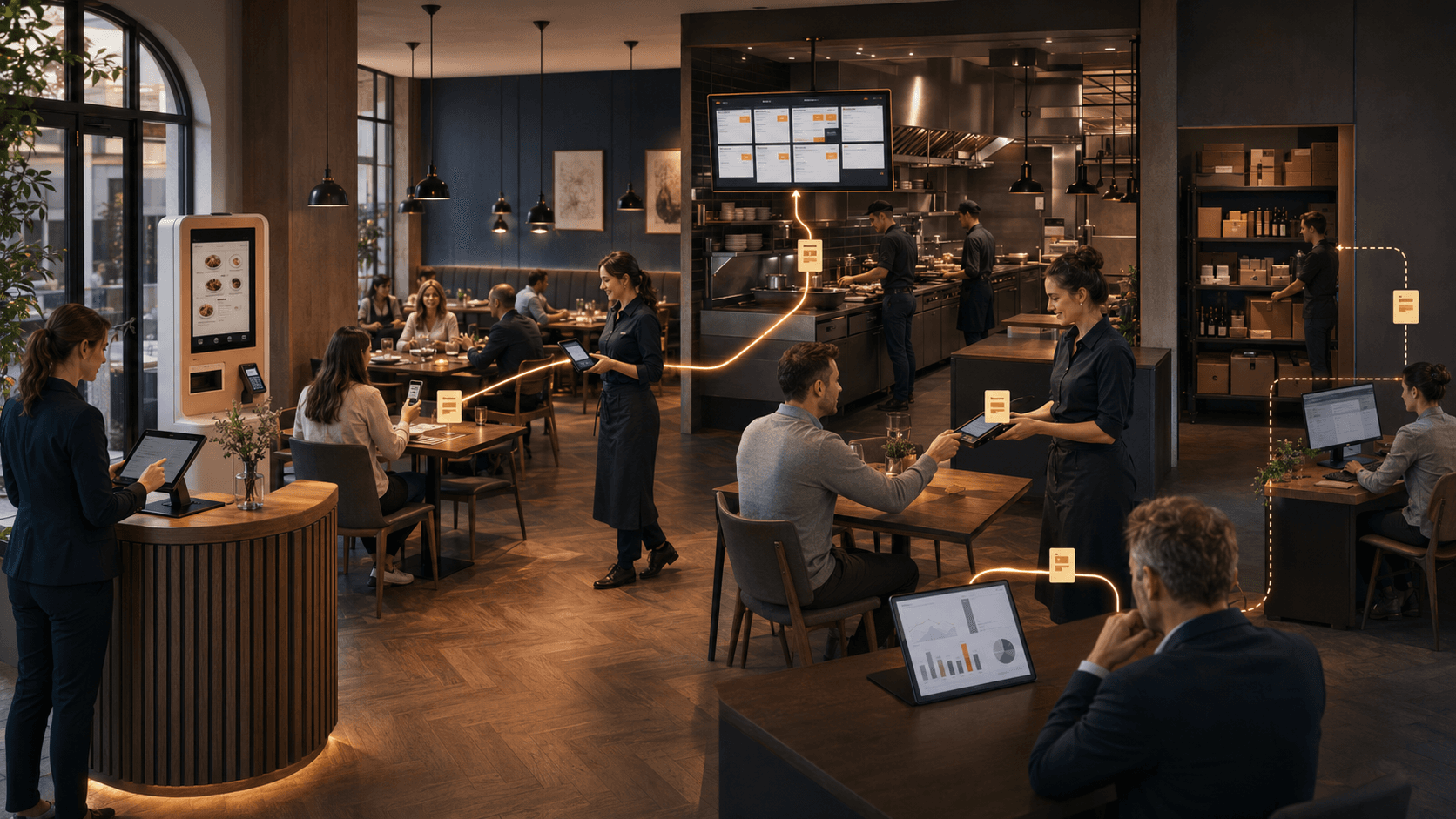
Many restaurants are already digital. They use a point-of-sale system, accept online orders, manage reservations in an app, take card payments and send data to an accountant. A QR menu, self-ordering kiosk, kitchen display system and inventory tool may also be part of the stack.
Yet orders are still copied, prices are changed in several places, payment totals are reconciled at the end of the day and management reports are assembled from spreadsheets.
The reason is simple: a digital tool does not automatically create a digital process.
When POS, ordering, reservations, kitchen operations, payments, inventory and accounting work independently, employees become the integration layer. They transfer information, check differences, ask for status updates and correct mistakes. The restaurant may own software, but it does not yet have a connected operating model.
That is also where return on investment is decided. ROI does not come from the number of activated modules. It comes from removing a measurable bottleneck: less repeated entry, fewer corrections, faster handovers, more reliable availability or less management time spent combining reports.
Why restaurant software should be chosen for problems solved rather than feature lists is covered in the shorter guide Restaurant software: problems solved, not features. This article goes further: it shows where fragmented technology creates cost and how connected workflows can be measured.
Key takeaways
- The problem in many restaurants is not a lack of software. It is the gap between several systems.
- The Gastivo Gastro Monitor 2026 identifies the interaction between POS, procurement, inventory and other applications as an important efficiency lever. Its findings are based on 552 respondents from beverage-oriented hospitality businesses in Germany.
- DEHOGA NRW’s publicly supported transformation programme emphasises that modern POS systems should be able to communicate with reservations, inventory, payments and financial accounting.
- “One system” does not necessarily mean one vendor or one interface for every employee. What matters is a clear source of truth, dependable handovers and traceable status.
- Robexa demonstrably connects ordering channels, service and table workflows, KDS, reservations, payments and management visibility. Existing specialist systems may remain or be connected depending on interfaces and project scope.
- ROI must be defined before implementation. Time released becomes a financial saving only when the restaurant actually avoids paid work or uses that time productively elsewhere.
A Saturday evening with six digital systems—and manual work everywhere
A typical workflow might look like this:
- A reservation arrives through a separate booking system.
- At reception, the guest is assigned to a table.
- A server enters the order into a POS while additional orders arrive through QR or a kiosk.
- Some kitchen orders appear on paper and others on a display.
- The card terminal does not automatically know the correct total, or it reports only its own transaction status.
- The team discovers that an item is out of stock, but the item remains available on one ordering channel.
- At the end of the day, POS data, payment settlements and the accounting export are compared manually.
Every individual tool may be functioning as designed. The operational failure appears at the handover:
- The reservation system does not know the current table status.
- Menu data differs between channels.
- An order loses options or its table reference while being transferred.
- The kitchen has no shared production queue.
- The team cannot match a payment to one order with confidence.
- Sales and inventory do not react to the same product information.
- Management receives different versions of revenue, discounts or voids.
These gaps are rarely dramatic on their own. They appear as small interruptions throughout the day. That is precisely why their total cost often remains invisible.
What current industry evidence says about connected digitalization
The Gastivo Gastro Monitor 2026 describes an important change in direction. Nearly half of the 552 respondents from beverage-oriented hospitality businesses in Germany attach high importance to further digitalization. The focus is shifting from isolated tools to the way systems work together. Gastivo identifies integration between POS, procurement, inventory and other applications as a central efficiency lever. The report also names investment costs, missing interfaces and complex system landscapes as continuing barriers.
The economic context helps explain the priority. In the same survey, 69% of respondents pay particular attention to prices when purchasing and 41% deliberately reduce order quantities. When cost control becomes more important, a sales report that is disconnected from procurement, availability and daily operations is not enough.
The state-supported Transformation Coaches for Hospitality in North Rhine-Westphalia make the operational requirement explicit:
- POS systems should be able to communicate with voucher, reservation and other external systems.
- Revenue data should move into financial accounting without unnecessary friction.
- Operators should be able to monitor cost of goods and inventory.
- Payment terminals need suitable POS interfaces where automated synchronization is required.
- Inventory management becomes particularly useful when it is connected to, or integrated with, the POS.
A recent international vendor survey illustrates the mechanism behind fragmented technology. In the UK and Ireland portion of its AI in the Hospitality Sector 2025 report, The Access Group surveyed 400 hospitality businesses. Food-and-beverage venues used an average of four systems, and the report assigns 250 lost hours per year to switching between systems for that group. Only around one in three respondents reported confidence in the data produced by current systems, while 76% said consolidated real-time data would support faster decisions.
These figures are not a German industry benchmark, and they should not be applied to an individual restaurant. They do, however, illustrate a mechanism also identified by German hospitality sources: several digital tools can create additional work when data, status and responsibility do not align.
Seven handovers where digital silos create cost
| Handover | Typical break | Operational consequence | Useful measure |
|---|---|---|---|
| Menu → ordering channel | Prices, products, options or availability are maintained several times | Wrong prices, unavailable orders, clarification | Number of repeated updates and availability errors |
| Reservation → table | Reservation and actual occupancy use different status | Double assignment, reception delays, poor table rotation | Differences between reservation, check-in and table status |
| Ordering channel → POS/order | Web, QR, WhatsApp or kiosk orders are entered again | Lost time, quantity or option errors | Share of orders re-entered manually |
| Order → kitchen/bar | Paper, screens and verbal calls do not form one queue | Lost tickets, duplicate production, questions | Corrections, clarifications and order-to-kitchen time |
| Order → payment | Amount or payment status is not matched clearly | Differences, open tables, manual reconciliation | Payment discrepancies and reconciliation time |
| Sale → inventory | Sales and stock do not use the same item rules | Stock-outs, excess stock, incorrect availability | Stock-outs, inventory variance and missed sales |
| POS/payment → accounting/management | Exports, fees, voids and tax data are assembled separately | Slower closing and conflicting reports | Daily/monthly closing time and unresolved differences |
The essential point is that cost often sits between two systems, not inside either one. Comparing feature lists is therefore not enough. The complete information journey has to be reviewed.
What “integrated” actually means
An integrated restaurant platform does not have to mean that every process comes from one vendor or that every employee works on the same screen.
A dependable integration needs five qualities.
1. One leading source for each data object
For every important piece of information, the business must know which system owns it:
- Where are product name, price and tax treatment maintained?
- Where is availability decided?
- Where does an order originate?
- Which status confirms payment?
- Which system owns table status?
- Where is the accounting-relevant export generated?
Two systems may display the same information. They should not create two uncontrolled versions of the truth.
2. Structured handovers instead of copying
An order should transfer its product identifier, quantity, options, context, time, status and payment reference in a form the next system can process. Free text, screenshots and handwritten notes may be valid exceptions, but they are not an integration strategy.
3. Status with operational meaning
“Sent”, “accepted”, “in preparation”, “ready”, “paid” and “voided” must correspond to real actions. Otherwise, several systems may look digital without forming a dependable workflow.
4. Traceability and ownership
When something changes, the operation should be able to answer:
- What changed?
- In which system?
- Who—or which process—changed it?
- Which downstream areas received the update?
- Who handles an error?
5. A tested fallback
Networks, terminals, printers, APIs and devices can fail. A connected operation needs a limited, understandable fallback. Without one, an interface becomes a single point of failure.
How Robexa connects core restaurant operations
The Robexa Restaurant Management System is designed as a modular foundation for connected restaurant workflows. The areas below are presented as current capabilities on Robexa’s live product pages.
A shared menu and ordering foundation
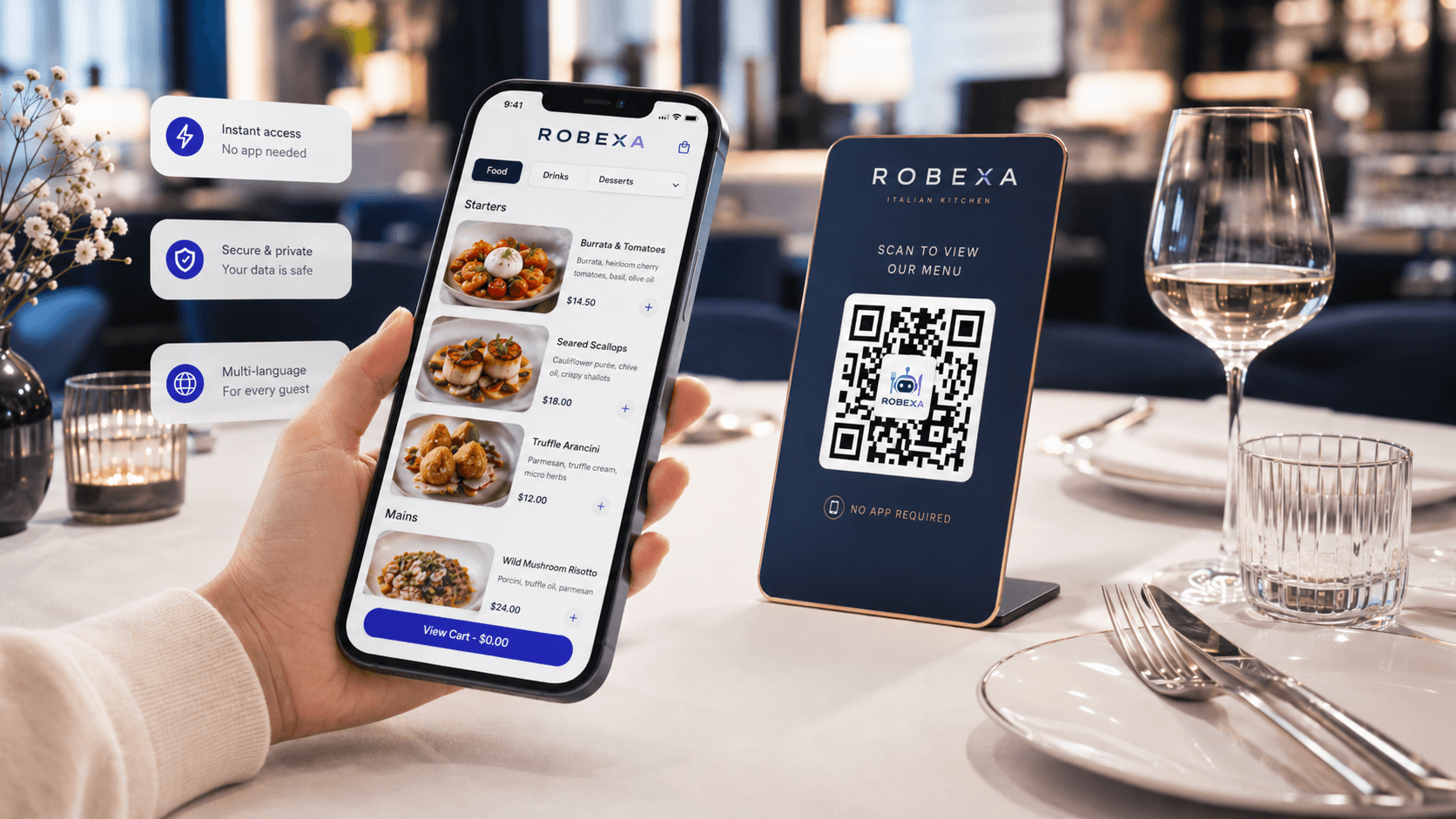
Products, prices, options, table references, pickup or delivery context and preparation notes can be captured in structured form. Depending on the chosen setup, one centrally maintained digital menu can support QR ordering, the restaurant website, kiosks and service workflows. Each channel does not need to maintain completely independent product logic.
Multiple entry points, one operational order journey
Depending on the restaurant concept, orders may begin with a service handheld, a table QR code, the restaurant’s own website, WhatsApp or a self-ordering kiosk. The value does not come from the number of channels. It comes from moving structured orders, with the correct context, into a common operational workflow.
Kitchen, bar and pass with visible status
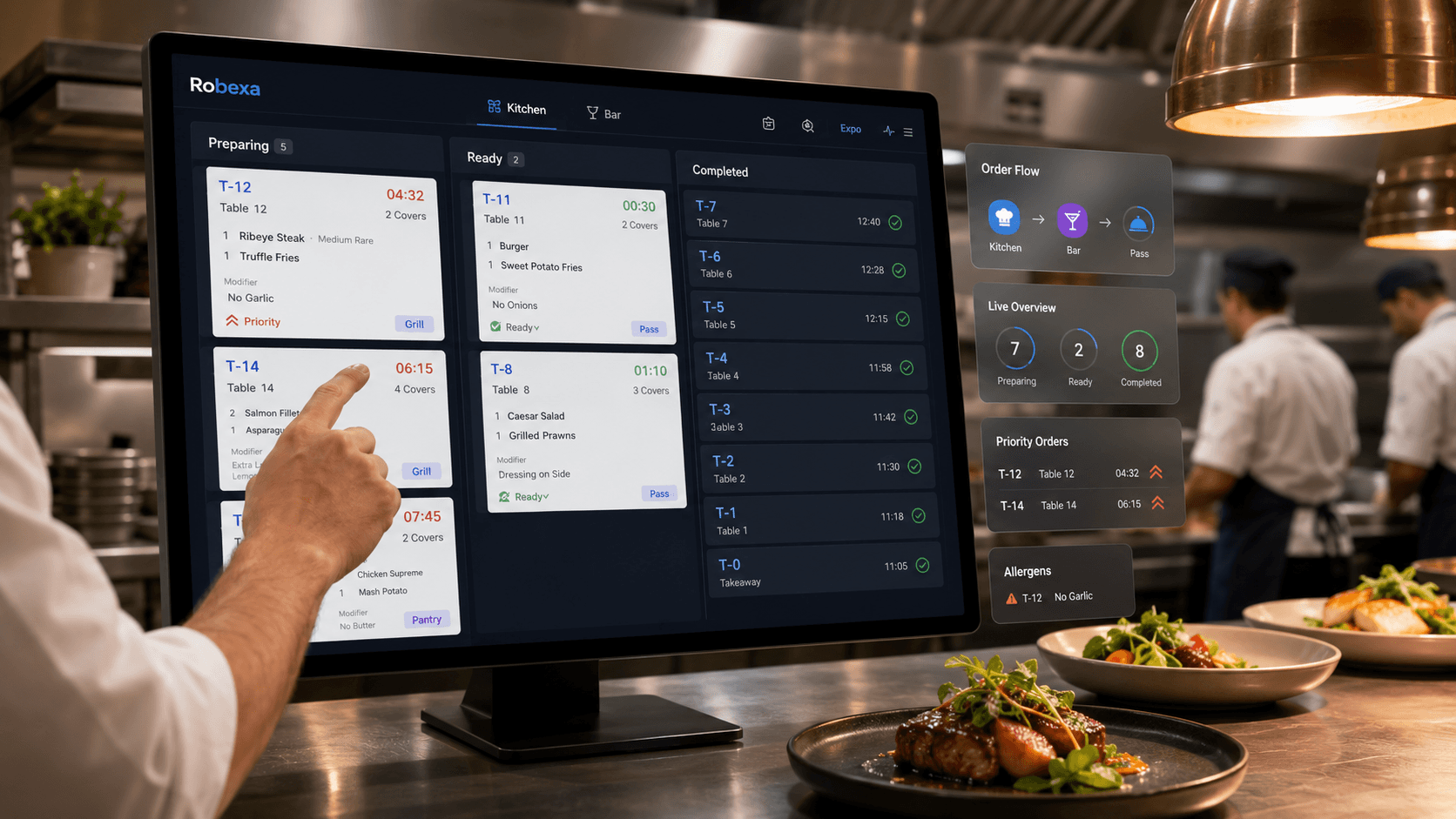
The Robexa Kitchen Display System can represent orders as digital tickets, route items to preparation stations and make status visible to the kitchen, bar, pass and service team. The handover from ordering channel to production becomes less dependent on verbal calls or rewritten tickets.
Reservations, arrival and table occupancy
Robexa’s restaurant reservation workflow brings together booking requests, confirmations, guest information and table assignment. Linking that information to table and service context creates one operating status instead of separate calendars, notes and occupancy lists.
Payment and operational completion
Robexa describes payment and tipping workflows, card-terminal connectivity, central visibility of revenue and—depending on configuration—automatic release of a table after payment. The important point is that payment status and operational completion refer to the same order.
Management visibility instead of a report puzzle
Orders, revenue, menu performance, team information and locations can be reviewed through a more central management view. Reporting becomes trustworthy only when the underlying orders and status are consistent.
Where inventory and accounting belong
An honest platform strategy does not claim that every specialist system must be replaced.
Inventory and accounting have their own requirements: items and recipes, procurement, counts, suppliers, accounts, taxes, retention, audit exports and cooperation with an accountant or tax adviser. Many restaurants already have established systems for these responsibilities.
In such a project, Robexa can centralize the operational core and work with the restaurant to define how specialist systems should remain:
- Natively within the same platform, when the required capability is actually available and approved.
- Through a verified API or standard interface, when both systems support it.
- Through a controlled export and import, when real-time exchange is not necessary.
- Through a clearly bounded manual handover, when no safe interface exists and the business consciously accepts the effort.
Whether an existing POS, inventory or accounting system can be connected depends on technology, data models, permissions, vendor conditions and project scope. Those requirements must be verified before an implementation decision is made.
Good integration does not begin with the promise “we connect everything”. It begins with a list of the data, events, responsibilities and exceptions that genuinely need to connect.
A connected full-service restaurant workflow
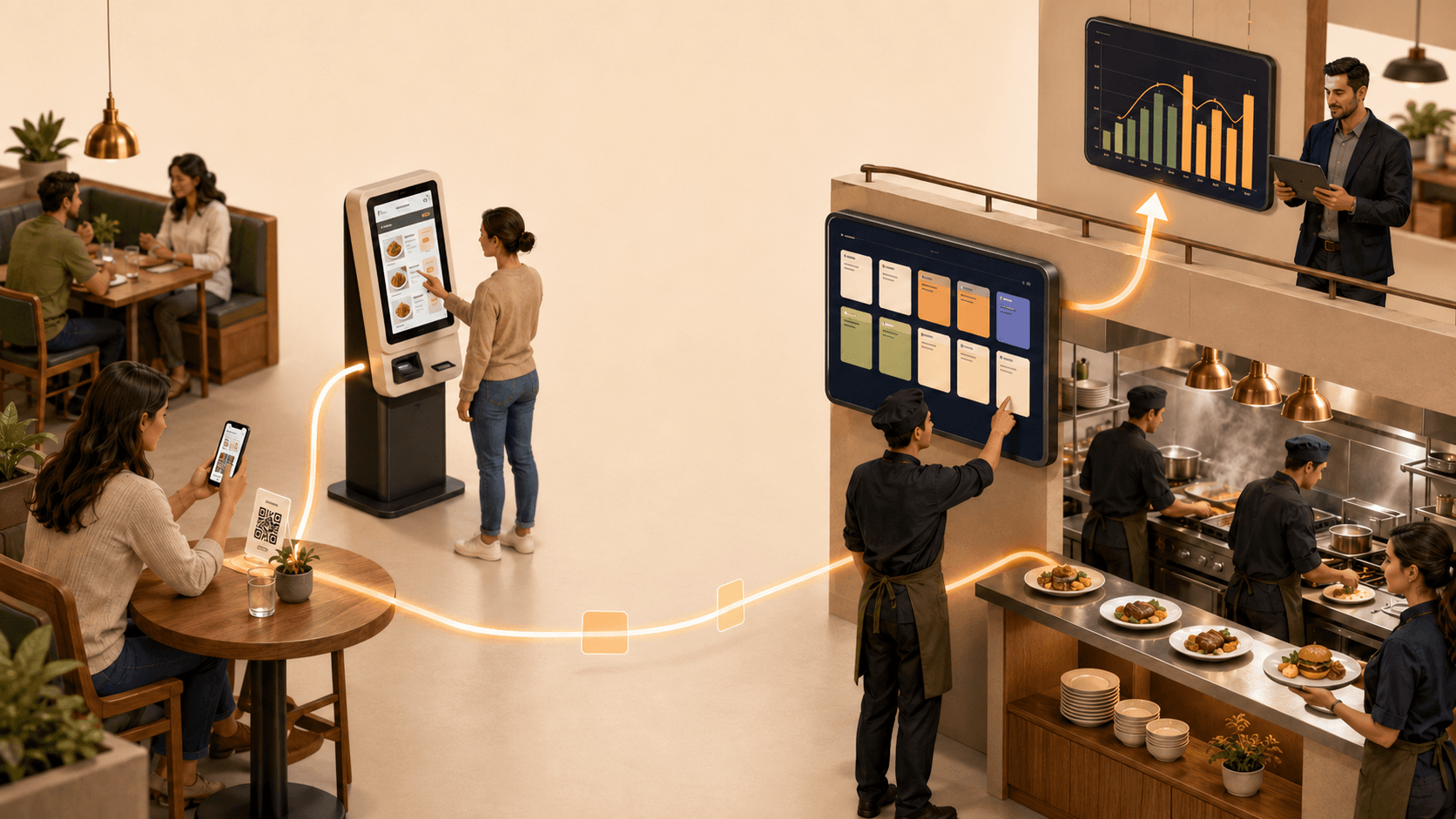
A realistic target process may look like this:
- A confirmed reservation appears for the host and table planning.
- On arrival, the guest is assigned to an available table.
- A server enters the order with a handheld, or the guest orders by QR.
- The product, options, table reference and notes become a structured order.
- Kitchen and bar receive only the items relevant to their stations.
- Preparation status shows service and the pass what is new, active or ready.
- Payment is matched clearly to the order and table.
- Once the workflow is completed, the table is released according to the agreed rules.
- The order becomes available for management reporting.
- If inventory or accounting systems are connected, they receive the agreed and verified data through the defined interface or export.
This flow does not require one interface for everyone. The host, service, kitchen and management teams use different work views, but they act on the same operational context.
Why ROI without a baseline remains a feeling
Many technology projects begin with a price comparison and end with the statement: “The restaurant feels more modern now.” That is not enough for an investment decision.
Before implementation, three questions must be answered:
- What does the current process break cost?
- What will the new solution cost in full?
- Which measurable change will count as success?
Capture the complete total cost of ownership
The investment includes more than a monthly software subscription:
- setup and data migration;
- hardware, installation and replacement devices;
- licence and location costs;
- payment and transaction fees;
- interfaces, development and maintenance;
- training and supported go-live;
- internal project time;
- parallel operation and data cleanup;
- support, updates and contractual commitments.
Separate benefits into verifiable categories
| Benefit category | Example | Correct valuation |
|---|---|---|
| Avoided work | Orders are no longer re-entered | Measure minutes; count a cash effect only when time is genuinely avoided or used productively |
| Fewer errors | Fewer wrong options, duplicate orders or payment differences | Record actual correction, refund, waste and labour cost |
| Faster processing | Shorter time from order to kitchen or payment | Assess capacity, waiting time and quality separately |
| More direct business | More orders through owned channels | Count avoided variable platform cost and additional contribution margin, not all revenue |
| Better availability | Fewer orders for unavailable items | Observe lost contribution margin, substitute sales and complaints |
| Faster management | Less time spent combining reports | Document management time and decision speed |
A defensible ROI formula
For a defined period:
Net benefit = measurable financial benefit − additional running costs
ROI = (net benefit − one-time investment) ÷ one-time investment × 100
Alternatively, calculate against all project costs during the measurement period:
ROI = (total benefit − total cost) ÷ total cost × 100
The chosen formula matters less than consistent application. The measurement period, cost categories and benefit definitions should not change during the pilot merely to produce a better result.
Five rules that prevent inflated ROI
- Do not count released time twice. The same hour cannot be both a labour saving and additional revenue.
- Do not confuse revenue with profit. Additional sales should be valued at contribution margin.
- Compare similar periods. Monday lunch is not a fair baseline for Saturday evening.
- Keep launch friction visible. Training, cleanup and parallel operation belong in the cost.
- Do not book an effect without evidence. Every improvement needs a traceable measurement from POS, KDS, payments, scheduling or a manual audit.
The most useful KPIs for an integration project
| KPI | Baseline | Pilot objective | Data source |
|---|---|---|---|
| Share of orders re-entered | Number per week | Lower | Process observation / order source |
| Corrections per 100 orders | Current average | Lower | POS/KDS/void analysis |
| Order-to-kitchen time | Median and peak | Lower or more stable | Timestamps |
| Service-kitchen clarification | Sample per shift | Lower | Shift audit |
| Time to change menu/price across channels | Minutes per change | Lower | Change log |
| Payment differences | Number and value | Lower | POS/payment reconciliation |
| Daily closing time | Minutes per day | Lower | Management log |
| Monthly reporting time | Hours per month | Lower | Management/accounting |
| Stock-outs while shown available | Cases per week | Lower | Complaints/inventory/orders |
| Total system cost | Monthly plus one-time | Transparent | Contracts, invoices, internal time |
Not every restaurant needs every KPI. Three to five measures directly related to the prioritized bottleneck are more useful than a dashboard containing twenty ignored numbers.
The Robexa integration and ROI check
Before implementation, operator and provider should answer these questions together:
- Which system is currently the leading source for menu, prices and availability?
- Where is information entered again, copied or transferred verbally?
- Which ordering channels lead into the same kitchen and fulfilment process?
- How are reservation, check-in, table status and ordering connected?
- How is a payment matched unambiguously to one order?
- Which information does inventory genuinely require: item sales, recipe consumption, voids or current stock?
- Which data and formats does the accountant or tax adviser require?
- Which APIs, exports, fees and vendor approvals exist?
- What happens when the internet, device, terminal or interface fails?
- Which three measures should be demonstrably better after 30 or 60 days?
If these questions are unanswered, purchasing another tool is often premature.
Roll out in stages instead of replacing everything at once
Phase 1: Map the process and establish a baseline
Document the journey from reservation or order to kitchen, payment, completion and reporting. Mark every manual handover and measure it for two to four weeks.
Phase 2: Prioritize one bottleneck
Examples:
- stop re-entering web and WhatsApp orders;
- route QR and handheld orders into the same kitchen workflow;
- connect reservation and table status;
- synchronize payment and table completion clearly;
- maintain menu and availability in one leading source.
Phase 3: Define data ownership and interfaces
For each data object, define source, destination, transfer timing, error handling and fallback.
Phase 4: Run a bounded pilot
Start with one location, one ordering channel, selected tables or a defined service period. Test normal flows and exceptions.
Phase 5: Review ROI
Compare baseline and pilot using similar shifts. Count only documented effects.
Phase 6: Expand only after the workflow is stable
Add modules or locations only when the first workflow is reliable and provides a visible benefit.
Which connection should each restaurant type prioritize?
| Restaurant type | Common first silo | Useful starting point |
|---|---|---|
| Full-service restaurant | Reservations, POS, table status and kitchen run separately | Reservation → table → handheld/QR → KDS → payment |
| Café or bistro | Counter, QR menu and daily offers use different data | One menu source → counter/QR → kitchen → reporting |
| Quick service / takeaway | Kiosk, web and counter create separate queues | Shared order queue → KDS → fulfilment/payment |
| Delivery and pickup | Website, WhatsApp and platforms require manual transfer | Structured direct order → kitchen → status → pickup/delivery |
| Multi-location operation | Menus, prices and reports are maintained by location | Central configuration with clear location ownership |
The order of implementation should not be determined by the most attractive module. It should be determined by the handover that currently creates the most errors, minutes or unexplained differences.
Limits and risks that belong in every project
Connected technology is not automatic. Operators should clarify:
- Who owns the data, and can the business obtain complete exports?
- Which interfaces are documented and contractually available?
- Are there additional costs per location, device or transaction?
- How are roles, permissions and personal data protected?
- How long can the operation tolerate an outage?
- Which functions work offline or with a fallback?
- How are changes tested before entering live service?
- Who provides support at weekends or during peak periods?
- How are employees trained by role?
- Can the restaurant change providers without losing operational data?
The best architecture is not the one with the highest number of connections. It is the one with the fewest necessary handovers, clear ownership and manageable failure risk.
Frequently asked questions about fragmented restaurant technology
What is a digital silo in a restaurant?
A digital silo is a tool that performs one task but does not transfer its data or status dependably into the next restaurant process. Employees then have to create the connection manually.
Does a restaurant need to replace every existing system?
No. A specialist reservation, inventory or accounting system may remain the right choice. What matters is clear data ownership, handovers, error handling and export capability.
Does “one platform” mean every employee uses the same screen?
No. Kitchen, service, reception and management need different interfaces and permissions. They should, however, work with the same operational context and consistent status.
Can Robexa connect existing restaurant software?
That depends on the existing technology, required interfaces and agreed project scope. Robexa reviews those requirements before implementation. A connection should not be promised until the API, data format, permissions and failure cases have been verified.
How can a restaurant measure software ROI?
First establish the baseline, complete cost and three to five target KPIs. Then compare similar periods before and after a pilot. Time, errors, fees and additional contribution margin should each be counted once and supported by a traceable source.
Which process should be connected first?
Start with the handover that breaks first under pressure or regularly creates the most manual work. Common examples include ordering channel to kitchen, reservation to table status, payment to order, or POS to management reporting.
Is real-time integration always necessary?
No. Kitchen, payment and table status often require immediate or near-immediate synchronization. A controlled daily export may be sufficient for some accounting or management workflows. The required speed should match the operational risk.
Conclusion: Not more tools, but a dependable operation
Restaurants do not automatically need less software. They need fewer gaps.
A sound technology stack makes menu, order, table, kitchen, payment and reporting part of the same operational context. Inventory and accounting connect where data, interfaces and responsibility have been defined properly.
Robexa supports that path as a modular restaurant platform and implementation partner. The starting point is not “activate every module”. It is one concrete handover that currently costs time, creates errors or obscures performance. The restaurant then measures whether the workflow genuinely improved.
A restaurant’s digital ROI is not the number of apps it owns. It is the manual handovers that are no longer necessary and the decisions that can finally rely on dependable data.
Free initial consultation: Where are the digital gaps in your operation?
In a free initial consultation, we review your current journey—from ordering channels, service and kitchen operations to reservations, payments and reporting. We identify a practical first integration step and define the measures that can prove whether it delivers value.
Request a free consultation with Robexa
Sources and further reading
- Gastivo Gastro Monitor 2026: Trends, figures and opportunities – survey of 552 respondents from beverage-oriented hospitality businesses in Germany; evidence on cost control, digitalization, interfaces and connected systems.
- Transformation Coaches for Sustainability and Digitalization: Hospitality – state-supported practical information on POS, payments, reservations, kitchen monitoring, inventory and interfaces.
- The Access Group: AI in the Hospitality Sector 2025 – international vendor survey; system and time figures used in this article refer to the stated UK/Ireland portion and are not a German industry benchmark.
- Robexa Restaurant Management System – current description of verified Robexa workflows, modules and integration qualifications.
- Designing an efficient digital ordering process for a restaurant – a detailed Robexa guide to the complete ordering journey.
- Restaurant software: problems solved, not features – shorter Robexa guide on choosing restaurant software for problems solved.